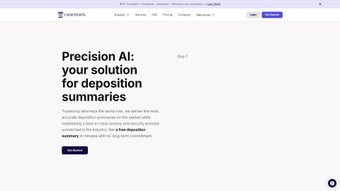

Download CaseMark – AI‑Powered Legal Workflow Automation Software
CaseMark is a next‑generation, AI‑driven workflow platform built specifically for law firms, corporate legal departments, and solo practitioners. By harnessing the power of OpenAI’s GPT‑3.5‑turbo and GPT‑4 models, CaseMark turns time‑consuming routine tasks—such as drafting case summaries, profiling matters, generating immigration reference letters, summarising depositions, and reviewing contracts—into fast, accurate, and repeatable processes. The platform’s architecture places privacy at the forefront; all client data is encrypted in‑transit and at rest, and the AI never uses your documents for external training.
Integration is seamless, with native connectors for Gmail, OneDrive, Dropbox, and other cloud services, allowing attorneys to keep their existing tools while gaining a modern, customizable automation layer. Whether you need a quick case briefing before a hearing or a comprehensive contract audit, CaseMark offers a secure, reliable, and highly adaptable solution that aligns with the unique demands of the legal sector. In addition to raw speed, the software provides built‑in compliance features such as audit trails, role‑based access, and ISO‑27001 certification, making it a trustworthy partner for handling privileged information.
By reducing repetitive drafting work, CaseMark frees billable hours, improves client satisfaction, and positions your practice at the forefront of legal technology.
Key Features & Step‑by‑Step Installation Guide
Feature Overview
- AI‑Generated Case Summaries – Produce concise, citation‑ready briefs in seconds.
- Matter Profiling – Auto‑populate client and case metadata from emails and documents.
- Immigration Reference Letters – Generate compliant, jurisdiction‑specific letters with minimal input.
- Deposition Summaries – Convert long deposition transcripts into clear, searchable outlines.
- Contract Review Engine – Identify risky clauses, suggest alternative language, and flag missing provisions.
- Seamless Cloud Integration – Direct sync with Gmail, Outlook, OneDrive, Dropbox, and SharePoint.
- Custom Workflow Builder – Drag‑and‑drop interface to tailor processes without coding.
- Role‑Based Access Control – Granular permissions ensure only authorized staff view sensitive data.
- Audit Trail & Version History – Full traceability for compliance and internal review.
- Secure Data Handling – End‑to‑end encryption, ISO‑27001 compliance, and on‑premise optionality.
Each of these capabilities is designed to address a specific pain point that legal professionals encounter daily. For example, the AI‑Generated Case Summaries feature taps into GPT‑4’s deep language understanding to pull relevant facts, statutes, and case law, then formats the output in a citation‑ready style that complies with local court rules. The Matter Profiling engine reduces manual data entry by scanning incoming emails and attachments, extracting names, dates, docket numbers, and other key metadata, and automatically updating the firm’s case management system.
This eliminates the risk of human error and accelerates intake. The Contract Review Engine goes beyond keyword searching; it uses contextual analysis to flag ambiguous language, suggest industry‑standard alternatives, and even surface jurisdiction‑specific compliance gaps. By providing a single, unified interface for these tasks, CaseMark eliminates the need for multiple point solutions, thereby reducing licensing overhead and simplifying vendor management.
Installation & First‑Run Setup
Getting CaseMark up and running is designed to be as frictionless as possible for busy legal teams. Follow these steps for a smooth deployment:
- Download the Installer: Visit the official CaseMark website and click the “Download for Windows” or “Download for macOS” button. The file is a signed executable (
.exefor Windows,.dmgfor macOS) that passes standard anti‑virus checks. - Run the Installer: Double‑click the file and follow the on‑screen wizard. Accept the license agreement, choose an installation folder (default is
C:\Program Files\CaseMarkon Windows), and click “Install.” The process typically completes in under five minutes. - Create an Admin Account: After installation, launch CaseMark. The first screen prompts you to set up an admin user. Use a strong, unique password and enable two‑factor authentication (2FA) for added security.
- Connect Your Cloud Services: Navigate to Settings → Integrations. Click “Add Integration,” select Gmail, OneDrive, or Dropbox, and authorize CaseMark using OAuth. Once linked, you can choose which folders or labels the AI should monitor for new documents.
- Configure a Sample Workflow: From the Dashboard, select “Create New Workflow.” Choose a template such as “Contract Review” and customize the steps (e.g., upload, AI analysis, reviewer approval). Save and activate the workflow.
- Run a Test Document: Upload a short contract or a deposition transcript. Within seconds, CaseMark will produce a highlighted risk report and a summary, demonstrating the AI’s capabilities and allowing you to fine‑tune settings.
- Roll Out to the Team: Invite additional users via the “Team Management” panel. Assign roles (Editor, Reviewer, Viewer) and set notification preferences (email, Slack, or in‑app).
The entire onboarding experience can be completed in under 30 minutes, even for firms with limited IT resources. For organizations that require on‑premise deployment, CaseMark offers a Docker‑based container that can be installed on private servers—documentation for this advanced setup is available in the knowledge base. After the initial rollout, the platform’s analytics dashboard provides usage metrics, helping administrators identify bottlenecks and measure productivity gains over time. Continuous updates are delivered automatically, ensuring that you always benefit from the latest AI model improvements and security patches without manual intervention.
Compatibility, Pros & Cons
Supported Operating Systems
CaseMark is a cross‑platform solution. Native desktop clients are available for:
- Windows 10 and later (64‑bit)
- macOS 11 (Big Sur) and later
- Linux (Ubuntu 20.04+ via Docker)
Pros
- AI Accuracy: Leveraging GPT‑4 ensures high‑quality language generation and nuanced legal reasoning.
- Time Savings: Routine tasks that once took hours are completed in seconds, freeing up billable time.
- Strong Security: End‑to‑end encryption, role‑based access, and ISO‑27001 compliance protect confidential client data.
- Customizable Workflows: Drag‑and‑drop builder lets firms tailor processes without needing developers.
- Seamless Integration: Native connectors for Gmail, OneDrive, Dropbox, and SharePoint reduce context switching.
- Scalable Architecture: Cloud‑first design supports small practices and large enterprises alike.
- Transparent Pricing: Tiered subscription model with a free trial eliminates surprise costs.
- Comprehensive Auditing: Built‑in version history and change logs simplify regulatory compliance.
- Dedicated Support: 24/7 email assistance and optional on‑site training accelerate adoption.
- Future‑Ready Roadmap: Planned multilingual support and deeper analytics keep the product relevant.
Cons
- Learning Curve for Advanced Features: While basic workflows are intuitive, mastering the full custom workflow engine may require a short training period.
- Dependence on Internet Connectivity: Cloud‑based AI processing requires a stable connection; on‑premise Docker option mitigates this but adds complexity.
- Cost for Large Teams: Per‑user licensing can become expensive for firms with hundreds of attorneys, though volume discounts are available.
- Limited Non‑English Support: Current AI models are optimized for English legal texts; multilingual capabilities are planned for future releases.
- Initial Configuration Time: Setting up integrations and custom workflows may take a few hours for organizations new to automation.
Frequently Asked Questions
Is my data ever used to train the AI models?
No. CaseMark’s privacy policy explicitly states that client documents remain the property of the user and are never fed back into the underlying GPT models. All processing occurs in a secure, isolated environment.
Can I run CaseMark on an on‑premise server?
Yes. For firms with strict data‑ residency requirements, CaseMark offers a Docker container that can be deployed behind your firewall. Detailed installation guides are provided in the enterprise portal.
What level of technical support is included?
All paid subscriptions include 24/7 email support and a dedicated account manager for enterprise plans. The knowledge base, video tutorials, and community forum are free for all users.
How does CaseMark handle version control for documents?
Every AI‑generated output is stored with a timestamp and linked to the original file. Users can view a complete audit trail, revert to previous versions, and export change logs for compliance audits.
Is there a free trial or a free tier?
CaseMark offers a 14‑day free trial with full feature access. No credit card is required, and you can convert to a paid plan at any time.
Conclusion & Call to Action
In a profession where accuracy, confidentiality, and efficiency are non‑negotiable, CaseMark delivers a compelling blend of cutting‑edge AI, robust security, and seamless integration. By automating repetitive drafting and review tasks, it frees attorneys to focus on strategy, client counseling, and courtroom advocacy—activities that truly drive value. While the platform does introduce a modest learning curve for power users and may require a reliable internet connection for cloud processing, the productivity gains and risk mitigation far outweigh these considerations. Whether you run a solo practice looking for a fast way to generate case briefs, or a large corporate legal department seeking enterprise‑grade workflow orchestration, CaseMark scales to meet your needs. The built‑in analytics also provide measurable ROI, showing how many billable hours are reclaimed each month.
Ready to experience a faster, smarter legal workflow? Download CaseMark now, start your 14‑day free trial, and see how AI can transform your day‑to‑day operations. Empower your team with secure, accurate, and instantly actionable insights—because the future of law practice is already here.



.png)



